
LERIS PRC – Login, Registration, Renewal, Verification, Online Appointment Philippines
LERIS is the Professional Regulation Commission’s online system for almost every licensing transaction a professional needs. It replaced the old over the counter process for applications, renewals, payments, appointment booking, and certificate requests, moving nearly all of it onto a single online account.
Exam application
Submit a licensure exam application and download your Notice of Admission.
Initial registration
Claim your first PRC ID and Certificate of Registration after passing boards.
ID renewal
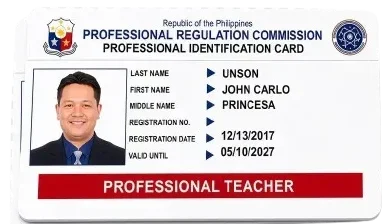
Renew your Professional Identification Card every three years.
Appointments
Book a slot at your regional PRC office for any transaction.
Payments
Pay government fees through Land Bank, GCash, Maya or card.
Certifications
Request notarized certifications, board ratings or stateboard verification.
Support
Get help with PRC services, applications, accounts, and licensing inquiries.
Rating & Verification
Verify your PRC Rating, registration status or professional credentials.
It’s the portal that sits between you and almost every PRC transaction: exam applications, initial registration after passing your boards, PRC ID renewal, certifications, and appointment booking.
What Does LERIS Stand For in the PRC?
LERIS stands for Licensure Examination and Registration Information System. It’s the official online arm of the Professional Regulation Commission, built to handle licensure exam applications, registration of new passers, renewal of Professional Identification Cards, and verification of licenses and ratings.
Services You Can Do on LERIS PRC Online
Your LERIS account lets you:
The one exception is checking a license status. PRC’s tool lets you confirm a professional license or exam rating without logging in, which I’ll explain more later.
How to Create a LERIS PRC Account
Getting your account set up takes around ten minutes if you have your documents handy.
What You Need Before Creating a LERIS PRC Account
Step by Step LERIS PRC Online Registration
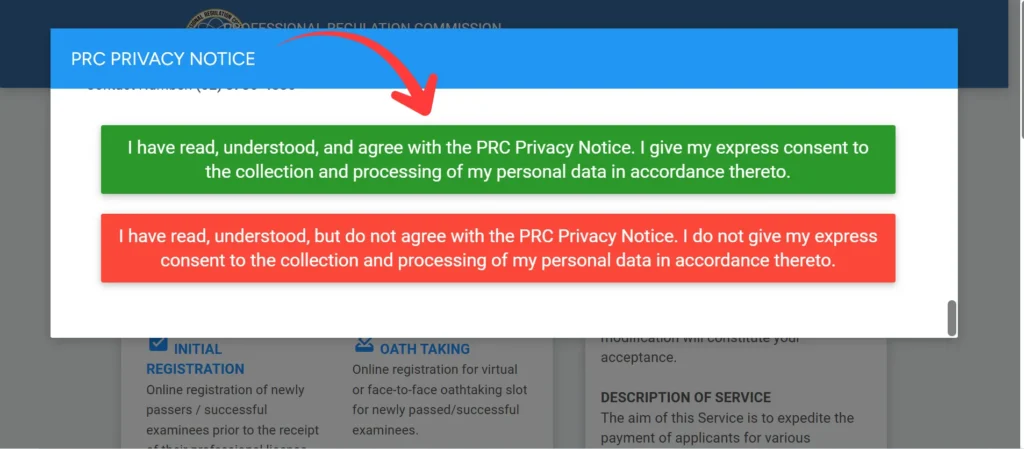
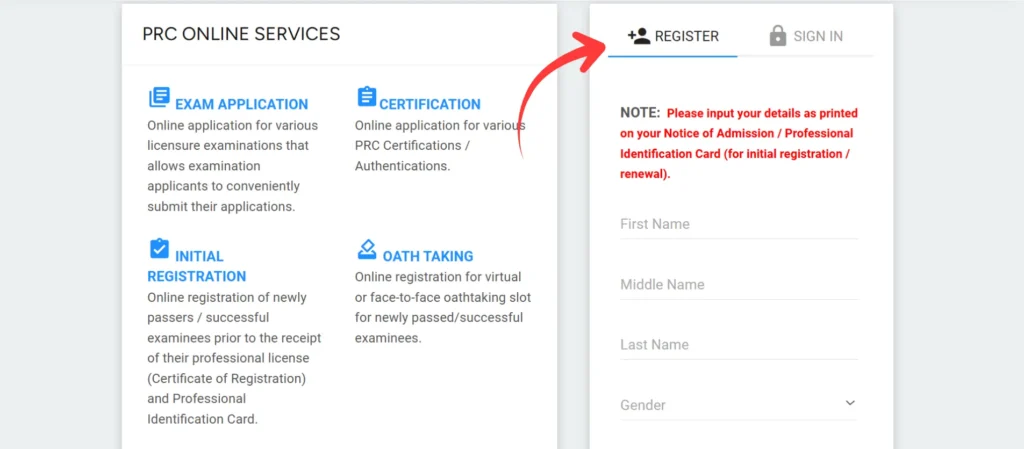
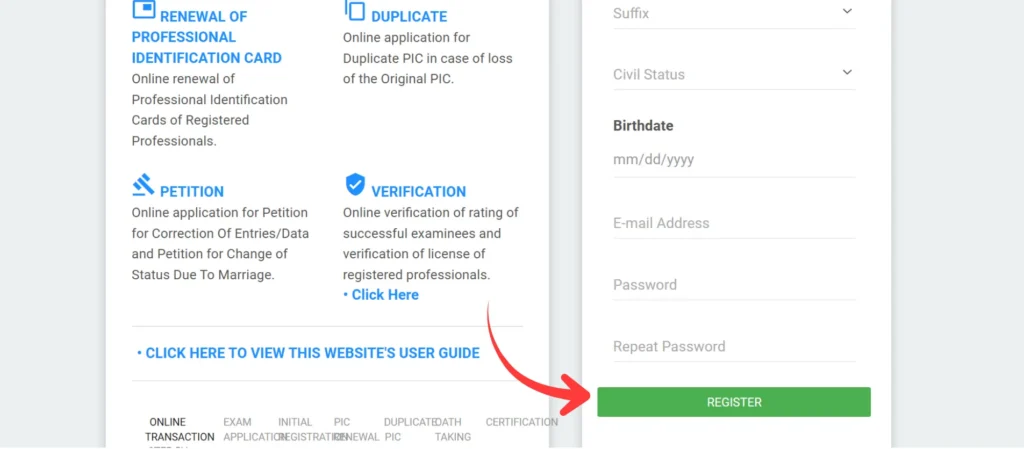
Don’t skip any fields marked with a red asterisk. LERIS won’t let you submit an incomplete form, and fixing a rejected submission can take extra time.
A name mismatch with your valid ID is the leading reason for needing to file a name correction request later, which can take weeks to resolve. A few clauses in the Terms and Conditions are worth actually reading before you click accept.
PRC online services are meant to run 24 hours a day, seven days a week, but the terms are upfront that scheduled maintenance, network issues, or factors outside PRC’s control can take the site down temporarily, so don’t wait until the last hour before a deadline to transact.
The terms also state that the site and its content are provided on an “as is” basis, meaning PRC does not guarantee the portal will be error free at all times, which is why keeping your own printed confirmation slips matters as a backup record. And PRC is explicit that its online services are completely free.
If anyone offers to process your application, renewal, or payment on your behalf for a fee, in exchange for your username and password, that’s not an authorized PRC service, it’s a fixer, and handing over your login puts your entire account at risk.
Valid IDs for LERIS PRC Account Registration
PRC usually takes any recent government-issued photo ID for signing up and checking, like a passport, driver’s license, Unified Multi-Purpose ID, PhilSys National ID, voter’s ID, postal ID, or your old PRC ID for renewal.
Make sure to use the exact name on the ID in your LERIS profile. This name is what PRC will use to check your application, oath form, and new PRC ID
Leris PRC Infographic
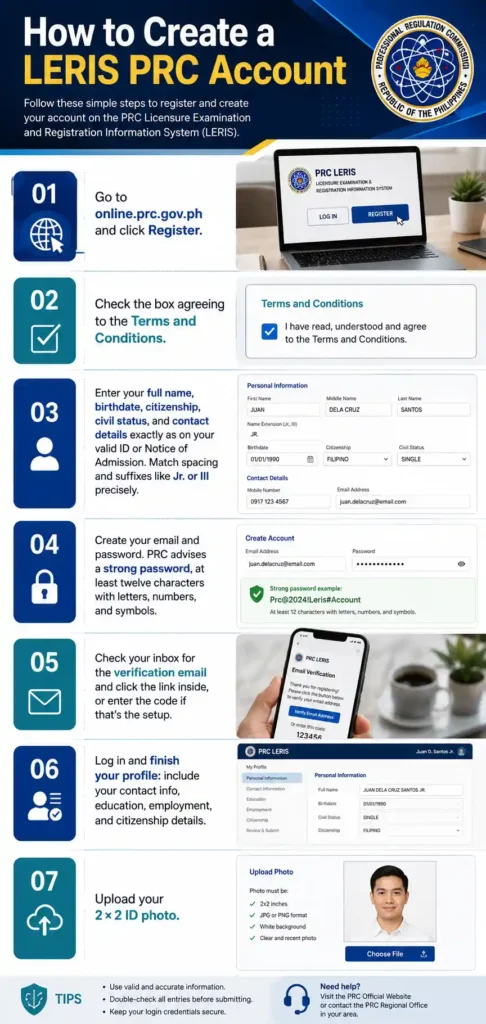
How to Register a LERIS PRC Account ? Video Guide
PRC LERIS Login Account
Logging in is easy once you’re verified, but some steps often confuse people.
Step-by-Step LERIS PRC Login Tutorial
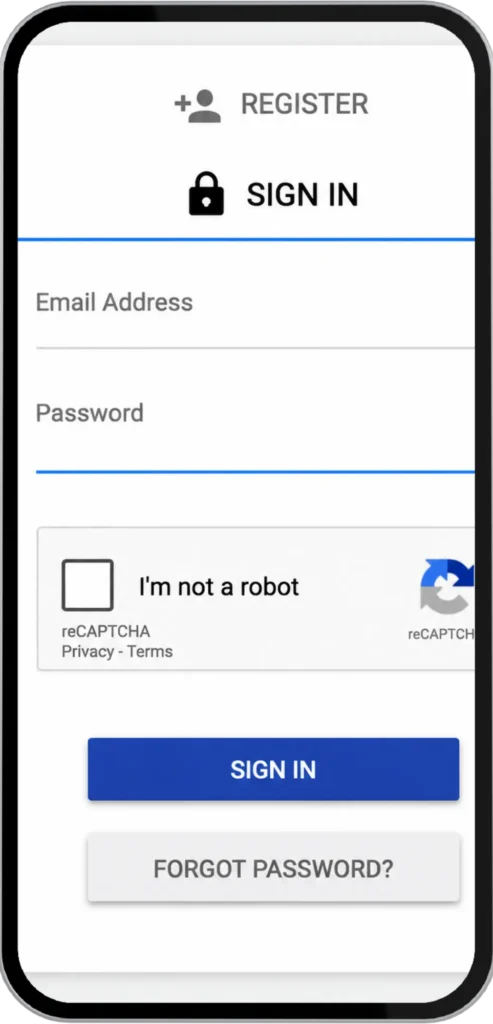
Turn off Caps Lock before typing your password, and double check for accidental spaces. These two issues account for a large share of “invalid credentials” errors that have nothing to do with a forgotten password.
Forgot Password, How to Reset Your LERIS PRC Account
What to Do When the Portal Is Down
The portal gets really busy during renewal season, exam deadlines, and right after board exam results come out. If the site is slow, times out, or won’t load a page:
Try accessing it during off-peak hours, like early morning or late evening, instead of refreshing repeatedly.
Clear your browser cache and cookies, or use a different browser.
Don’t use your browser’s Back button mid-transaction. It often causes issues that need manual follow-up.
If a payment doesn’t reflect right away, wait before retrying. Duplicate payments are harder to reverse than a delayed status.
If the portal stays unresponsive for an extended period, it’s more likely scheduled maintenance than a problem on your end. Check back after a few hours rather than assuming your account is at fault.
LERIS PRC Renewal of PRC ID and License
If you need to renew your PRC ID through LERIS in the Philippines, the online renewal process makes it easy to update your license and keep it valid.
LERIS PRC Online Renewal 2026
You can start renewing 10 months before your card expires, and renewals happen every three years in your birth month. You need your PRC license number, a passport-sized photo, a name tag, and proof of your Continuing Professional Development compliance.
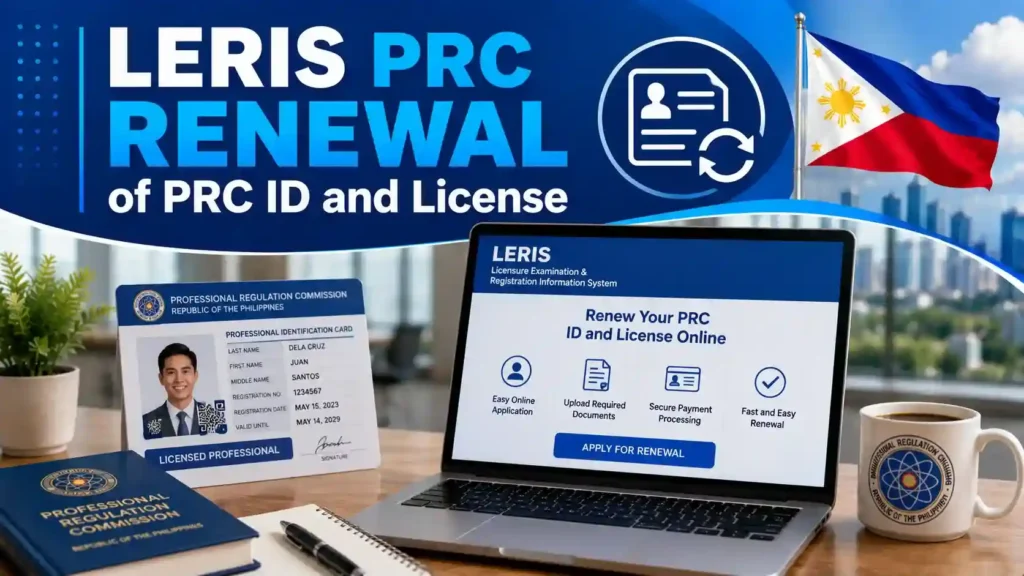
How to Renew PRC ID Through LERIS Online
Walk in renewals are not accepted anymore. Every renewal now has to go through LERIS first.
CPD Units for LERIS PRC Renewal: What You Need
Continuing Professional Development, or CPD, includes training units that professionals must complete before renewing their license. The number of units needed depends on your profession.
LERIS checks your CPD compliance through your CPD Academic Services account before letting your renewal application move forward. If your CPD units are incomplete, fix that first. Otherwise, your application may be held or rejected at your appointment rather than online.
LERIS PRC Verification Rating
You don’t need a LERIS account just to confirm someone’s license status or check an exam rating. PRC runs a separate public verification tool with three options, verification of rating, verification of license by name, and verification of license by license number.
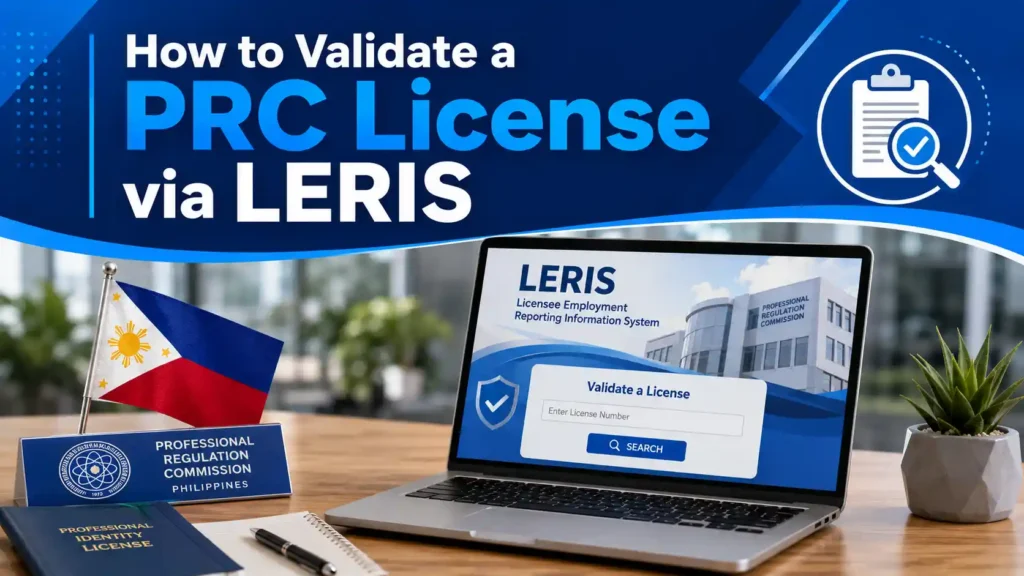
How to Validate a PRC License via LERIS
Go to PRC’s public verification portal, select verification of license, and search either by the professional’s name or their license number. The result confirms whether the license is active, its registration status, and basic details tied to that record, without requiring the person searching to sign in.
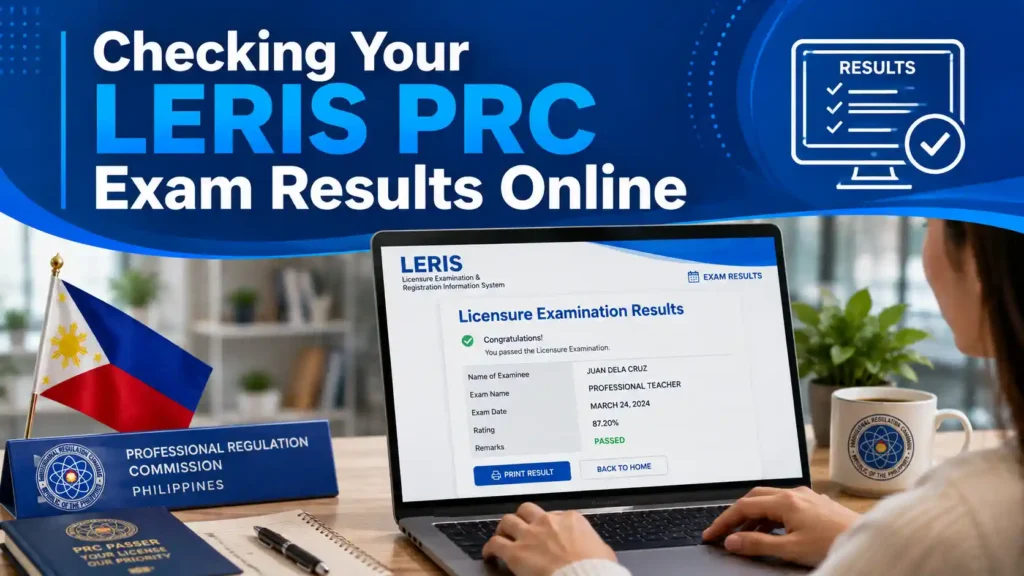
Checking Your LERIS PRC Exam Results Online
Use the verification of rating option and enter the required exam details to look up your grades from a licensure examination you’ve already taken. This is the fastest way to confirm your rating without waiting for a physical certificate.
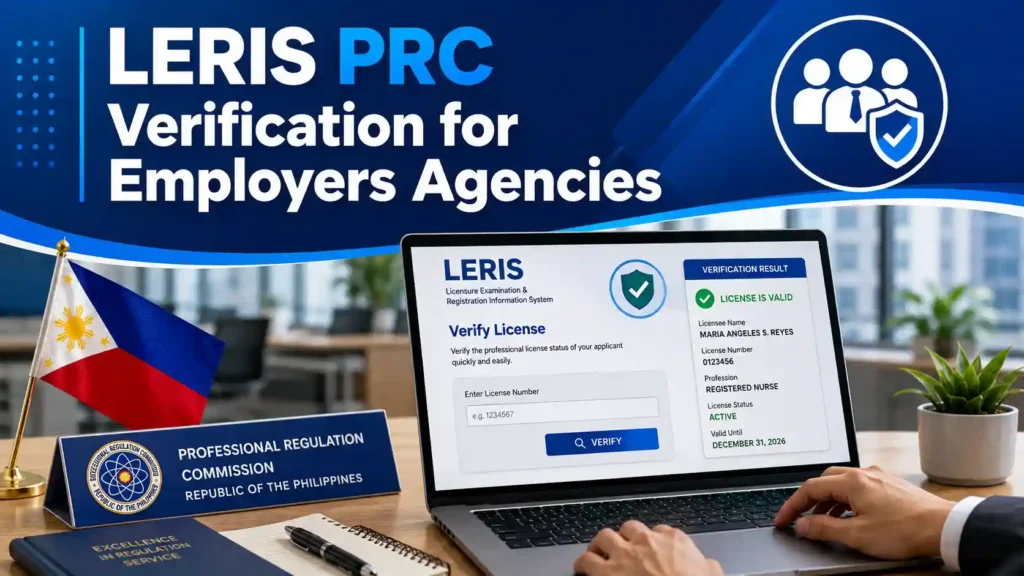
LERIS PRC Verification for Employers Agencies
Companies and government offices often use this tool to check if a license is real before hiring someone or processing a transaction. If you’re scanning a physical PRC ID using its barcode, make sure your camera is high resolution and has no autofocus on small details. Avoid any glare and keep the card fully in the scanning frame. A steady internet connection helps the lookup return results faster.
LERIS PRC Online Appointment Booking
PRC has a strict rule: you can’t book an appointment for the same day you finish your online transaction. Slots open up in batches and aren’t always available, especially during peak times like renewal season. You might need to wait weeks for an opening, so it’s best to start early rather than wait until the last minute.
Book an Appointment
After submitting an application for an exam, renewal, or certification, LERIS shows you available dates for your chosen regional office. Pick a date, confirm, and pay to secure the slot. You can only cancel an unpaid booking; once you pay, you can’t cancel. To reschedule, you first need to cancel your unpaid booking and then rebook. There’s no direct way to change the date.
Pick Your PRC Regional Office on LERIS
When booking an appointment on LERIS, you can choose from PRC’s regional and satellite offices nationwide. Pick the one that’s easiest for you to visit in person, since you’ll need to show up there to submit documents, take your oath, or pick up your ID. The appointment slots themselves are free; you only pay the government transaction fee.
Bring on Your LERIS PRC Appointment Day
Bring your printed and signed application or renewal form, your payment confirmation slip, a valid ID, and any profession specific documents for your transaction, such as your Oath Form for Initial Registration or an Affidavit of Loss for a Duplicate PIC. Arrive with everything already signed, incomplete forms are one of the most common reasons applicants get turned away and have to rebook.
LERIS PRC Payment Options
Once you submit a transaction, LERIS routes you to an Order of Payment form listing your accepted payment channels:
Common LERIS PRC Problems and How to Fix Them
While using the LERIS PRC portal, applicants may encounter several common issues that can delay their application or make the process confusing.
LERIS PRC New Passers Registration
Initial Registration lets you claim your first Professional Identification Card and Certificate of Registration after passing your licensure exam.
Requirements for LERIS PRC Initial Registration
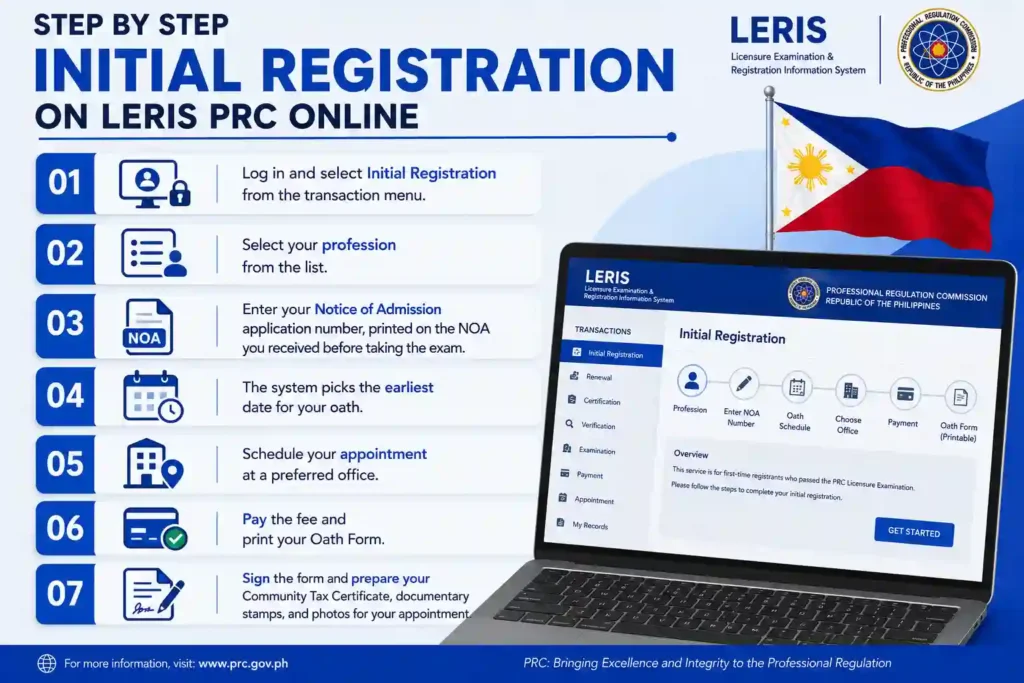
Step by Step Initial Registration on LERIS PRC Online
PRC LERIS Picture Sample
Your photo needs to be a 2×2 ID shot, in JPG format, with a plain white background and no filters, shadows, or retouching. Wear a collared shirt, because pictures in plain shirts or casual wear often get rejected. Face the camera straight on, with a neutral expression, and make sure the lighting is good with no glare. Keep the file size within the upload limits. A bad photo is a common reason for rejection, so take a new one just for this purpose.
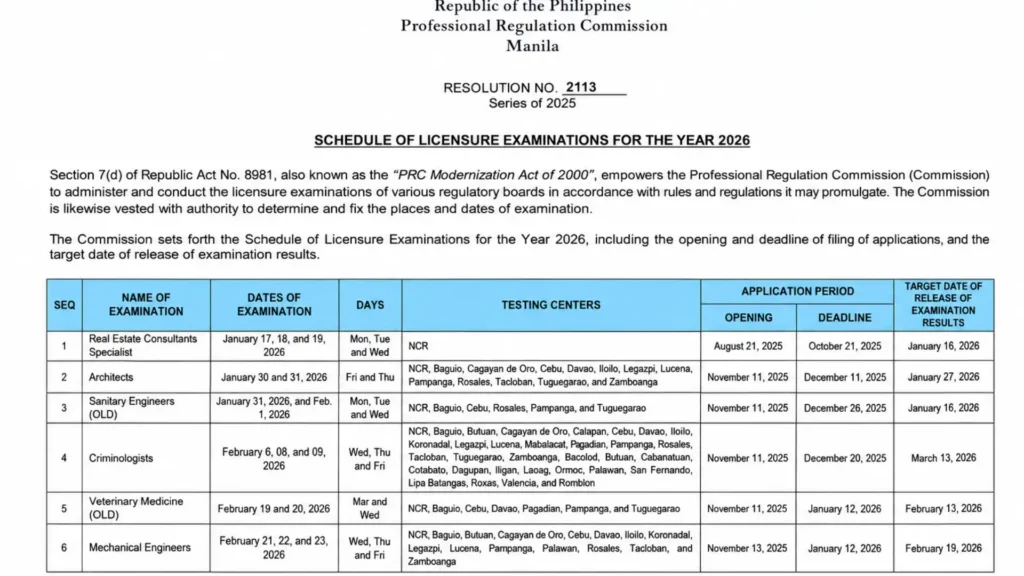
PRC Exam Schedule 2026
PRC publishes its board exam schedule for each profession on its official website ahead of the year, listing application windows, exam dates, and result release dates. Application periods close well before the actual exam date, and slots for popular professions can fill up, so check the schedule for your profession early and apply through LERIS as soon as the window opens.
Here is an example of the PRC exam schedule below. You can check the complete schedule and exam dates by clicking the button below.
NOA PRC, Admission Notice
The Notice of Admission, or NOA, is issued after your board exam application is processed, confirming your exam schedule and venue. You’ll need your NOA application number twice, to download your Notice of Admission before exam day, and later for Initial Registration once you pass, since LERIS uses that same number to pull up your exam record.
How to Apply for PRC Exams Online
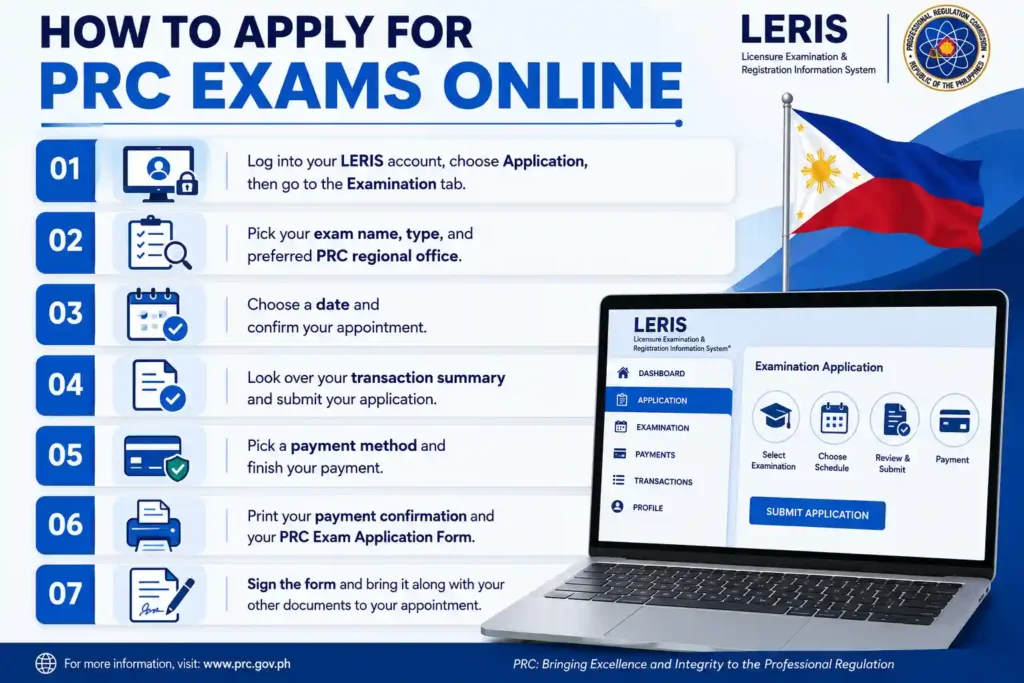
Important: Whether you’re signing up for the Licensure Exam for Teachers or an engineering exam like Civil, Electronics, Mechanical, or Aeronautical Engineering, the process inside LERIS is the same. The only difference is the specific requirements for each profession.
Other Online Services
How to Request PRC ID Replacement
If your card is gone or messed up, you’ll ask for a Duplicate PIC through LERIS. You need an Affidavit of Loss and another ID, plus all the usual renewal stuff. Then you book an appointment, pay, and print the form like a regular renewal.
Set an Appointment for PRC Oath Taking Registration
New passers set their oath taking date when they do the Initial Registration. The system gives you the earliest date right away after you enter your Notice of Admission number. You can go in person or use PRC’s online oath taking if it’s available and you can’t make it physically.
PRC Registration Certificate
Your Certificate of Registration, or COR, comes with your first PRC ID after Initial Registration and your oath. To reprint or replace it, use the certifications section of LERIS for Certificate of Board Rating and Stateboard Verification requests.
CPDAS login
CPDAS, the CPD Academic Services portal, is a separate system from LERIS where accredited providers and professionals track completed training units. LERIS checks your CPDAS record when you attempt to renew, so if your renewal gets blocked despite finishing your units, verifying your CPDAS record is the first thing to check.
PRC Stateboard Verification
Stateboard Verification is a PRC certification confirming a professional’s license status for licensing boards or employers outside the Philippines. Request it through LERIS by selecting the certifications transaction, entering the required details, paying the fee, and claiming the document at your appointment.
OFW Guide, Renew License from Abroad
Overseas Filipino professionals can complete PRC renewal online, including registration, the renewal transaction, and payment via international card or supported e-wallet. However, an in-person appointment is still required to submit the signed form and claim the renewed ID at a PRC regional office in the Philippines.
Many OFWs time their renewal around a planned vacation, booking the appointment for a date they know they’ll be home, or authorize a representative to claim the physical ID where PRC allows it. Start the online portion well before your card expires, since slots can be limited and you don’t want your renewal window closing while you’re still abroad.
Prohibited Items at PRC Offices
At PRC offices, follow the rules for government buildings, no big bags, sharp tools, or unauthorized recordings. For exams, no calculators with programs unless your field says otherwise, leave your phone and smart devices at home, don’t bring in notes or cheat sheets, and avoid help from others. Rules differ by profession, so check your exam notice for details.
PRC Contact Information
Carlos Reyes (Legal Researcher & Content Writer)
Francisco Javier is a legal researcher and content writer specializing in the Philippine PRC and LERIS system. He helps professionals navigate licensure exams, registration, PIC renewal, certifications, and other PRC services.
FAQs
Closing Words
LERIS consolidates what used to be scattered, line heavy PRC transactions into one account you control from your phone or laptop. The friction most applicants run into, locked accounts, mismatched names, missed verification codes, vanished appointment slots, almost always traces back to the same root causes: rushing through registration, using an old or shared email, or waiting until the last possible week to renew. My honest recommendation is to register early, before you actually need a transaction, and use the exact name from your valid ID from the very first field you fill out. Keep your CPD units